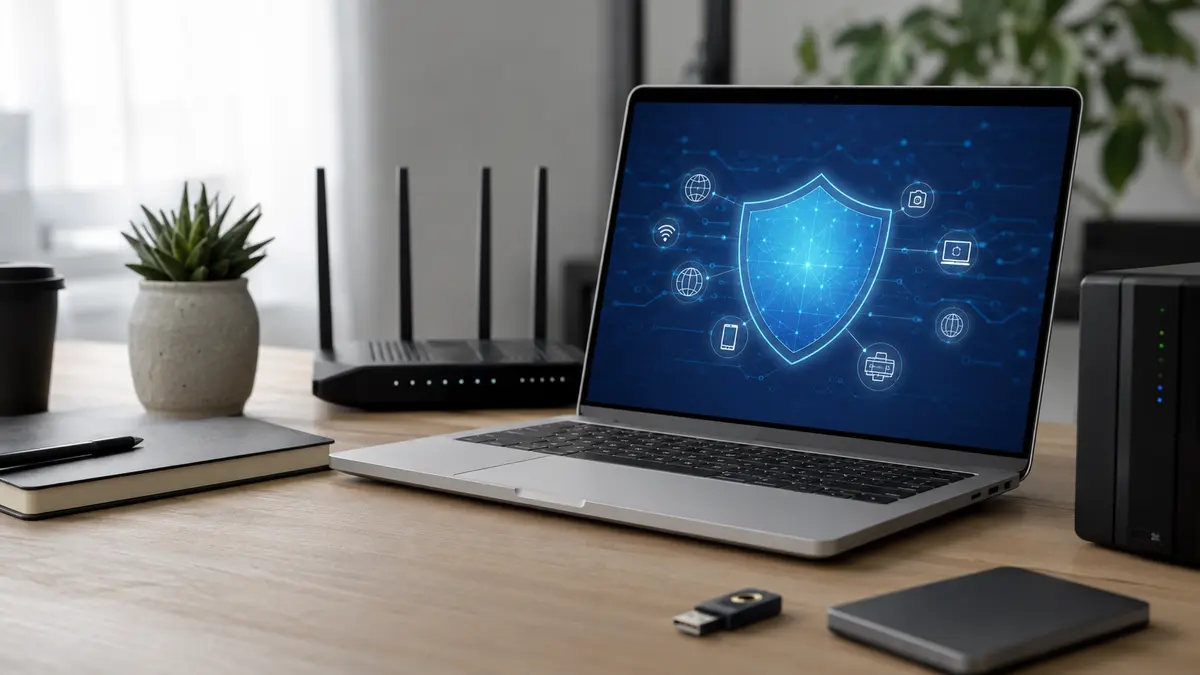
A small business cybersecurity checklist turns a complicated security problem into a manageable routine. You do not need a large IT department or an expensive collection of tools to reduce everyday risk. You need a clear picture of the systems you depend on, sensible access controls, reliable backups, updated devices, trained staff, and a plan for responding when something goes wrong.
This guide is designed for owners, managers, remote teams, nonprofits, and growing companies that want practical protection without unnecessary jargon. It follows the risk-management logic used in the NIST Cybersecurity Framework 2.0 Small Business Quick Start Guide and aligns with recommendations from the Federal Trade Commission and the U.S. Small Business Administration.
The goal is not perfect security. No organization can remove every risk. The goal is to make common attacks harder, limit the damage of an incident, and help your team recover quickly.
Why a Small Business Cybersecurity Checklist Matters
Small businesses often rely on a compact set of systems: email, cloud storage, accounting software, a website, customer records, payment tools, mobile phones, and a few laptops. That simplicity can be helpful, but it also means one compromised account may affect several parts of the business at once. An attacker who gains access to an administrator email account may be able to reset passwords, impersonate a manager, reach stored files, or interfere with customer communications.
Security also affects trust. Customers and partners expect a business to protect the information it collects. A preventable incident can interrupt operations, create recovery costs, and damage a reputation that took years to build. A written checklist makes responsibilities visible and reduces the chance that important tasks are forgotten during a busy week.
NIST organizes cybersecurity work around six connected functions: Govern, Identify, Protect, Detect, Respond, and Recover. A small company can apply the same logic at a realistic scale. Decide who owns security decisions, identify important assets, protect them with basic controls, watch for warning signs, prepare an incident process, and test recovery.
Quick Cybersecurity Checklist for Small Businesses
| Area | Essential action | Review frequency |
|---|---|---|
| Ownership | Name one person responsible for coordinating cybersecurity | Every 6 months |
| Asset inventory | List devices, accounts, software, websites, and critical data | Quarterly |
| Accounts | Use unique passwords and multi-factor authentication | Monthly check |
| Updates | Enable automatic updates and replace unsupported software | Weekly review |
| Train staff to recognize phishing and verify unusual requests | Quarterly training | |
| Backups | Keep protected, separate backups and test restoration | Monthly test |
| Devices | Use screen locks, encryption, endpoint protection, and remote wipe | Quarterly |
| Network | Secure the router, Wi-Fi, firewall, and remote access | Quarterly |
| Vendors | Review access, security practices, and offboarding | Before renewal |
| Response | Maintain contacts, decision steps, and a recovery plan | Twice a year |
1. Assign Clear Security Ownership
Security tasks are often missed because everyone assumes someone else is handling them. Choose one coordinator, even if that person is not a technical specialist. The coordinator does not need to perform every task. Their role is to maintain the checklist, schedule reviews, involve the right service providers, and make sure important decisions have an owner.
Define basic responsibilities in writing. Who approves new software? Who creates and removes user accounts? Who checks backups? Who contacts the web host if the site is compromised? Who can speak to customers during an incident? A one-page responsibility map prevents confusion.
Senior leadership should support the process. If managers bypass authentication rules, share accounts, or postpone updates indefinitely, staff will treat security as optional. Good security culture begins with consistent behavior from the people who control budgets and priorities.
2. Build an Accurate Asset Inventory
You cannot protect what you do not know exists. Start a simple inventory in a protected spreadsheet or asset-management tool. Include company laptops, desktops, phones, tablets, routers, printers, websites, domain names, cloud services, email platforms, storage accounts, social profiles, software subscriptions, and any device that connects to business data.
For each item, record:
- The service or device name and its purpose.
- The business owner and technical administrator.
- Who has access and what level of permission they hold.
- Whether multi-factor authentication is enabled.
- The renewal date, support status, and backup method.
- The type of data stored or processed.
- What would happen if the system were unavailable for one day.
Classify information by importance. Public marketing material does not require the same controls as payroll records, customer contact details, contracts, or administrator credentials. A practical classification system can be as simple as Public, Internal, Confidential, and Critical.
Review the inventory when an employee joins or leaves, a new service is purchased, or a project ends. Unused accounts and forgotten subscriptions create avoidable exposure.
3. Protect Every Important Account
Account security is one of the highest-value parts of a small business cybersecurity checklist. Begin with email, domain registration, website administration, cloud storage, banking, customer management, social media, and any service that can reset other passwords.
Use unique passwords
Every important account should have a unique password. Reusing one password across services allows a breach at one provider to become a wider business problem. A reputable password manager can generate and store long, random passwords so staff do not have to remember them.
Do not share a single administrator login among several people. Create individual accounts so permissions can be limited and activity can be traced. Reserve administrator access for tasks that genuinely require it. Routine work should use a standard account.
Enable multi-factor authentication
Multi-factor authentication adds another verification step after the password. Enable it first on email, domain, hosting, WordPress, finance, cloud storage, and password-manager accounts. An authenticator app or hardware security key is generally more resistant to common interception attempts than an SMS code, although any supported second factor is usually better than a password alone.
Store recovery codes securely, not in the same inbox protected by the account. Keep at least one documented recovery method under business control so an account does not become inaccessible when an employee leaves or loses a device.
Review permissions
Follow the principle of least privilege: each person should have only the access needed for their work. Review user lists monthly. Remove dormant accounts promptly and reduce administrator privileges that are no longer required. Shared external collaborators should receive time-limited access where the service supports it.
4. Keep Software, Websites, and Devices Updated
Updates often include fixes for known security weaknesses. Enable automatic updates for operating systems, browsers, office applications, phones, endpoint protection, routers, and commonly used business software. Schedule a short weekly review to catch devices or applications that failed to update automatically.
For a WordPress website, update WordPress core, the active theme, and trusted plugins. Remove abandoned components after taking a backup and confirming they are not required. Avoid installing overlapping plugins that perform the same job, because extra code can increase maintenance work and introduce conflicts. Use a staging copy for major theme or plugin changes when possible.
Replace products that no longer receive security updates. Unsupported software may continue to run, but newly discovered weaknesses may remain unpatched. Record end-of-support dates in the asset inventory so replacement is planned instead of becoming an emergency.
5. Reduce Phishing and Business Email Risk
Phishing messages try to create urgency, fear, curiosity, or authority. They may imitate a supplier, manager, delivery service, software provider, or customer. The FTC explains that malicious links and attachments can lead to stolen credentials or ransomware. Technical filters help, but staff awareness remains essential.
Teach every employee to pause before acting on:
- Unexpected password-reset or sign-in messages.
- Requests to change payment or bank details.
- Urgent demands to buy gift cards or send funds.
- Files or links from unfamiliar senders.
- Messages that ask for a password or authentication code.
- Unusual requests from a manager, supplier, or client.
- QR codes that hide the destination address.
Create a second-channel verification rule. Staff should confirm sensitive changes using a known phone number, approved messaging channel, or existing contact record—not the details provided in the suspicious message. Make reporting easy and blame-free. Early reporting gives the business more time to reset credentials, block a sender, and review activity.
Protect the company domain with modern email-authentication records such as SPF, DKIM, and DMARC. These controls help receiving systems evaluate whether a message claiming to come from your domain is legitimate. Your email provider or qualified administrator can help configure them without disrupting delivery.
6. Create Backups You Can Actually Restore
A backup is useful only if it is current, protected, and restorable. Identify the information required to keep the business operating: website files and database, customer records, contracts, accounting exports, operational documents, and configuration details.
Use the 3-2-1 idea as a practical starting point: keep three copies of important data, use two different storage methods, and maintain at least one copy that is separate from everyday systems. A separate or offline copy helps prevent ransomware, accidental deletion, or a compromised administrator account from affecting every backup.
Encrypt sensitive backups and restrict access. Automate the schedule, but do not assume automation always succeeds. Review backup logs and perform a test restoration. A monthly restore test can use a small sample of files, while a fuller website or system recovery exercise can be scheduled quarterly or twice a year.
Record the recovery time objective: how quickly each system needs to be restored. Also record the recovery point objective: how much recent data the business can afford to lose. These targets help determine whether a daily, hourly, or weekly backup schedule is appropriate.
7. Secure Laptops, Phones, and Other Endpoints
Business data frequently leaves the office on laptops and phones. Require a screen lock, a strong device passcode, storage encryption, supported anti-malware protection, and automatic updates. Configure remote-lock or remote-wipe features where appropriate.
Separate business and personal use as much as practical. Staff should not install unapproved browser extensions or software on devices that access sensitive systems. Extensions can read web activity and may request broad permissions. Maintain an approved software list and provide a simple way to request a legitimate tool.
Use device inventory labels and record serial numbers. When equipment is retired, erase it using the manufacturer’s recommended secure-reset process. Do not donate or sell a device until business accounts and stored data have been removed.
8. Strengthen Wi-Fi, Routers, and Remote Access
Change the router’s default administrator password and update its firmware. Use current encryption, preferably WPA3 when all necessary devices support it, or WPA2-AES for compatible older equipment. Create a separate guest network for visitors and internet-connected devices that do not need access to business systems.
Do not expose router administration to the public internet unless there is a clear, secured requirement. Review firewall settings and disable unused services. Store network configuration details securely so recovery is possible if the router fails.
Remote workers should avoid handling sensitive business tasks over unknown public Wi-Fi. A properly configured business VPN can protect remote access to internal systems, but a VPN does not make unsafe behavior harmless. Staff still need updated devices, secure authentication, and careful email habits.
9. Protect Customer and Employee Information
Collect only the information the business genuinely needs and keep it only as long as required for a legitimate purpose. Less stored data means less information exposed during an incident. Document where sensitive records are kept, who can access them, and when they should be deleted.
Use encryption for data in transit and, where practical, at rest. Modern websites should use HTTPS. Cloud services should provide clear access controls and audit records. Avoid sending sensitive documents as ordinary email attachments when a protected portal or restricted shared folder is available.
Review privacy notices and internal practices together. A public policy should accurately describe what the business collects and how it is used. Our editorial guidelines follow the same reader-first principle: make claims clear, use responsible links, and avoid collecting or presenting information without a valid reason.
10. Evaluate Vendors Before Granting Access
A vendor can become part of your security boundary when it hosts data, manages the website, supports devices, processes customer information, or receives administrator access. Before choosing a provider, ask practical questions:
- Does the service support multi-factor authentication and individual accounts?
- How is customer data encrypted and backed up?
- How quickly does the provider notify customers about an incident?
- Can data be exported in a usable format?
- What happens to information when the contract ends?
- Which subcontractors or external systems are involved?
- What security and availability commitments are documented?
Keep a record of vendor contacts and renewal dates. Remove vendor accounts when a project ends. If a contractor needs temporary administrator access, create a separate account and disable it after the work is complete.
11. Monitor for Warning Signs
Prevention is important, but a business also needs a way to notice suspicious activity. Enable sign-in alerts for critical accounts. Review email forwarding rules, new administrator accounts, unexpected password resets, website file changes, security-plugin alerts, and unusual cloud downloads.
Centralized logs are helpful, but a small business can begin with the logs already offered by its email, cloud, hosting, and website providers. Decide which alerts require immediate action and who receives them. Too many low-value notifications can hide the alerts that matter.
Watch for operational signals as well: customers reporting strange emails, messages appearing in sent folders, unfamiliar software, repeated lockouts, unexpected website redirects, or unexplained performance changes. Encourage staff to report anything unusual quickly.
12. Prepare an Incident Response Plan
An incident plan should be short enough to use under pressure. Include the names and contact details of decision-makers, IT support, web hosting, email support, legal or privacy advisers, insurance contacts, and essential vendors. Keep a protected copy somewhere accessible even if the main email or file system is unavailable.
Define the first actions:
- Confirm what was observed without destroying useful evidence.
- Contain the affected account, device, or system.
- Reset exposed credentials from a known-clean device.
- Preserve logs, messages, timestamps, and relevant files.
- Identify affected information and business functions.
- Contact qualified support and follow applicable reporting obligations.
- Communicate accurate information to affected people when required.
- Restore from a verified clean source and monitor for recurrence.
Do not improvise public statements or erase an affected device before evidence is preserved. The right steps depend on the incident and the laws that apply to the organization. For a serious breach, seek qualified technical and legal advice promptly.
13. Test Recovery with a Simple Exercise
A plan that has never been tested may fail at the worst moment. Run a tabletop exercise twice a year. Choose a realistic scenario, such as an administrator email account being compromised, a laptop being lost, the website being redirected, or shared files becoming unavailable.
Ask the team: Who notices first? Who has authority to disable access? Where are recovery codes stored? Which customers or partners could be affected? How will operations continue? How will a clean backup be identified? What information must be recorded?
Write down gaps and assign improvement tasks. The exercise does not need to be dramatic. Its value comes from exposing missing contacts, unclear ownership, inaccessible backups, and assumptions that have never been verified.
A 30-Day Implementation Plan
Week 1: Identify and prioritize
- Name the security coordinator.
- List critical accounts, devices, services, and data.
- Identify the five systems whose failure would hurt operations most.
- Record current administrators and remove clearly obsolete access.
Week 2: Protect access
- Introduce a password manager.
- Enable multi-factor authentication on critical accounts.
- Turn on automatic updates.
- Secure the router and separate guest Wi-Fi.
Week 3: Back up and train
- Confirm that essential data is backed up separately.
- Perform a test restoration.
- Train staff on phishing and verification procedures.
- Document how to report a suspicious message or device.
Week 4: Respond and improve
- Create a one-page incident contact sheet.
- Run a short tabletop exercise.
- Review vendor access.
- Set recurring monthly and quarterly calendar reminders.
Common Cybersecurity Mistakes to Avoid
Buying tools before understanding risk: Technology can help, but it cannot replace clear ownership, secure access, staff awareness, and tested backups.
Using one administrator account for everyone: Shared credentials make offboarding difficult and remove accountability.
Assuming cloud data is automatically protected from every loss: A cloud provider may maintain infrastructure availability, but customers still need correct permissions, retention settings, and recovery options.
Keeping every old account forever: Dormant accounts and unused integrations increase exposure without providing business value.
Waiting for an incident to test backups: A successful backup notification does not prove that files can be restored quickly and correctly.
Blaming employees for reporting mistakes: Fear delays reporting. A fast, supportive response is more valuable than hiding an incident.
Frequently Asked Questions
What is the most important cybersecurity step for a small business?
Start by protecting the accounts that control everything else, especially email, domains, hosting, cloud storage, and website administration. Use unique passwords, enable multi-factor authentication, and maintain secure recovery methods. At the same time, confirm that critical data has a separate, tested backup.
How often should this checklist be reviewed?
Review critical alerts and failed updates weekly, accounts and backups monthly, assets and permissions quarterly, and the full plan at least twice a year. Also review it whenever the business changes staff, vendors, locations, or major systems.
Does a very small business need an incident response plan?
Yes. A small team may have fewer resources and less room for downtime. A concise plan with contacts, containment steps, backup instructions, and decision authority can save valuable time.
Are antivirus software and a firewall enough?
No single control is enough. Endpoint protection and firewalls are useful layers, but they should be combined with updates, multi-factor authentication, least-privilege access, phishing awareness, secure backups, monitoring, and response planning.
Should a small business hire a cybersecurity professional?
Many basic improvements can be handled internally, but professional help is valuable for complex networks, regulated data, repeated incidents, cloud migrations, email authentication, vulnerability assessment, and recovery after a compromise. Choose providers carefully and maintain business ownership of key accounts.
Final Takeaway
A strong small business cybersecurity checklist is not a one-time project. It is a repeatable operating habit. Begin with the systems that matter most, improve access controls, keep software current, train people to verify unusual requests, test backups, and rehearse the response plan. Small, consistent improvements create meaningful resilience.
For more practical digital guidance, browse our Technology articles. Keep this checklist with your operating procedures, assign each task to a named owner, and review progress on a fixed schedule.